Current guide
Hide, Delete, and Recover Conversations
Hide, delete, and recover conversations#
Use Hide when you may need the content again. Use Delete only when you intend to remove the complete saved conversation permanently.
Swipe horizontally, or focus the table and use arrow keys, to see every column.
| Action | What changes | Reversible? |
|---|---|---|
| Hide a conversation | Removes it from the normal list while preserving it. | Yes—show hidden content and choose Unhide. |
| Hide a turn | Removes the turn from the normal conversation view. | Yes—use Show all hidden turns and unhide it. |
| Delete a conversation | Permanently removes the saved conversation, attachments, and pins. | No. Typed confirmation is final. |
Hide and unhide#
Choose Hide on a conversation or turn. Enable Show hidden in the conversation list, Files tab, or detail view when you need it again, then choose Unhide. With sync enabled, the hidden state follows the conversation across devices.
Permanently delete#
- Open the conversation’s delete action.
- Choose Hide instead if you might need it later.
- Type
DELETEexactly and confirm.
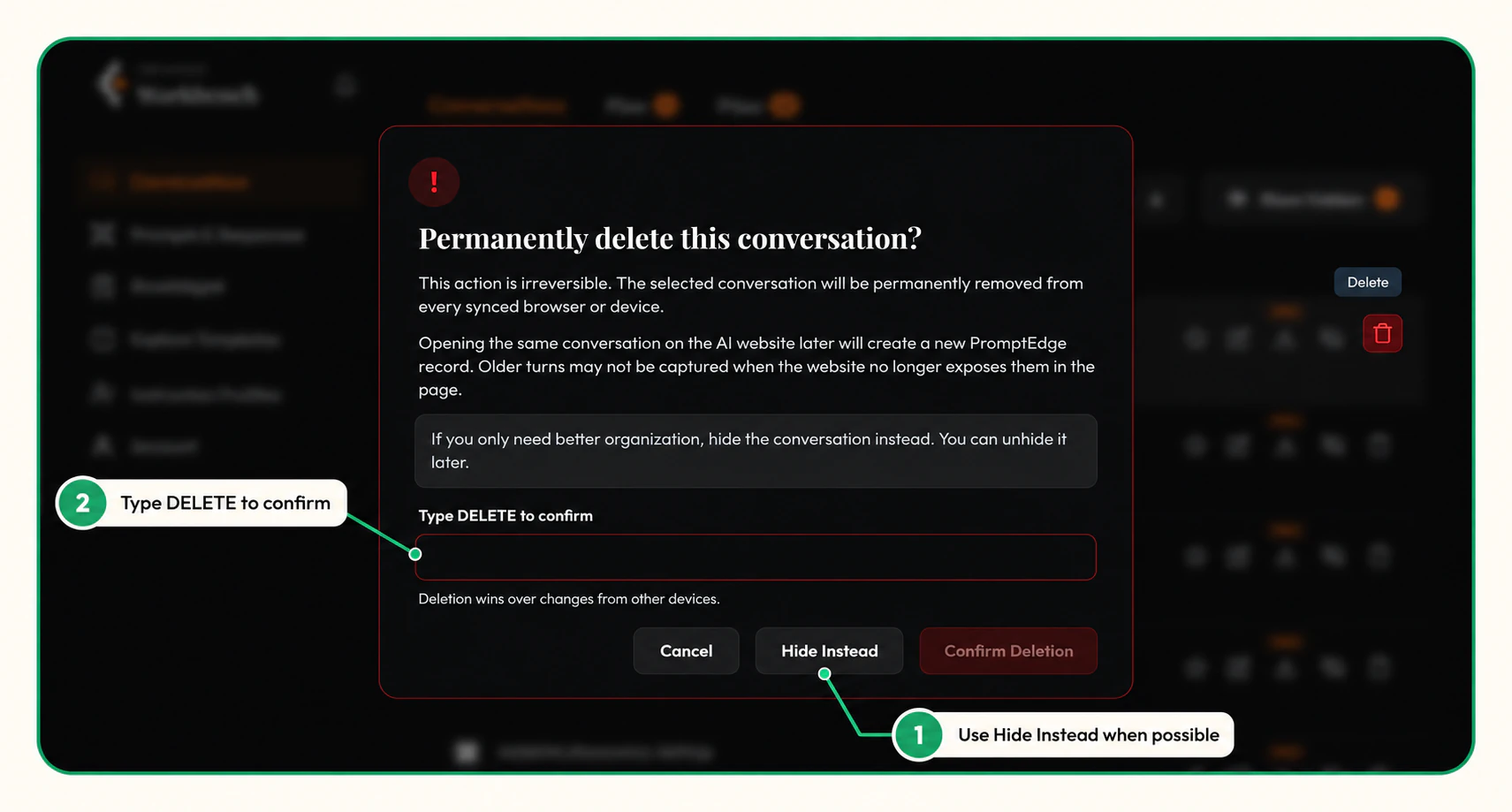
Individual turns use reversible hiding; they are not permanently deleted one by one. Bulk conversation deletion uses the same safety boundary: review the selected count, choose Hide instead or cancel when appropriate, and type DELETE to confirm permanent removal.
Related pages#
Guide feedback